
A Front Desk That Fits on One Screen
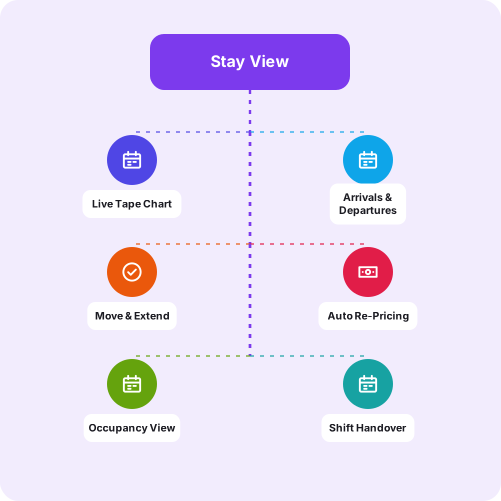
Stay View is a live calendar of every room and every night in your property. Instead of reading a register backwards to work out what is free, you look at a chart and see it. Bookings move by dragging them, and the system only offers the actions that are actually valid for that stay.
Why a Reservation Diary Stops Working
A paper diary or a spreadsheet works until the property is busy, which is precisely when it matters:
- Working out what is free means reading several rows and holding dates in your head
- Extending a stay by two nights means checking the next booking by eye
- Two staff writing at once produces a conflict nobody notices until arrival
- Nobody can see the day’s arrivals and departures without compiling them
- A cancelled booking leaves a gap that is easy to forget is sellable
- Handover between shifts relies on someone explaining the register
Once the property is drawn as a chart rather than a list, most of that disappears:
- Free rooms are visible rather than deduced
- Moving or extending a stay is a drag, and the system re-prices it
- The day’s arrivals, departures and due-outs are counted for you
- Occupancy for the dates on screen is shown rather than calculated
- Actions that are not valid for a stay are simply not offered
- A new member of staff can read the chart without being taught the register
Stay View is the screen the front desk lives on. It shows every room as a row and every night as a column, with the active rate alongside availability so the person taking the booking is not working from a separate price list.
The detail that matters operationally is what the system refuses to do. Opening a booking offers only the actions that are legal for that stay at that moment, which is how accidental double check-ins and out-of-sequence changes are prevented rather than merely discouraged.
Want to see it on your own data?
We run walkthroughs against a real scenario, not a canned slide deck. Contact Xcodefix Global to arrange one.

How Stay View Works
See It
Rooms down the side, nights across the top, with status shown per night: vacant, occupied, reserved, due out or blocked, and counted for the day.
Change It
Drag a booking to move or extend it. The stay is re-priced from the same pricing rules the calendar uses, with the option of emailing the guest the revision.
Trust It
Each booking opens a panel offering only the actions valid for its current state, so the sequence of a stay cannot be broken by a mis-click.
What the Front Desk Covers
Where the Chart Earns Its Place
Properties Busy Enough to Get It Wrong
A register works at low occupancy and fails at high. The chart matters most in exactly the weeks a property makes its money.
Teams Working in Shifts
Where the person taking a booking is not the person handling the arrival, the record has to be readable by both without a briefing.
Resorts Without a Fixed Desk
At many properties the front desk is wherever the manager is standing, which makes a browser-based chart more practical than a terminal.
How the Front Desk Is Set Up
Map Your Rooms
Room types, individual rooms and the way you group them are configured to match how the property is actually sold.
Load Your Rates
Seasonal, weekend and peak pricing is set as rules, so the chart can show the active rate alongside availability.
Enter Forward Bookings
Existing reservations go in so the chart is accurate from the first day rather than gradually becoming true.
Train on a Normal Day
We walk the team through an arrival, a move, an extension and a departure rather than through a feature list.
Adjust After a Busy Week
A short review once the property has been through a genuinely busy period, when any awkwardness in the setup is obvious.
Why Stay View Works at the Desk

Built as a Chart, Not a List
A property is a grid of rooms and nights. Showing it that way removes most of the mental arithmetic a register demands.

Wrong Actions Are Not Offered
Preventing an invalid change is better than detecting it afterwards, particularly when the person at the desk is busy.

Re-Pricing Is Automatic
Moving or extending a stay recalculates it from the same rules the booking used, so the invoice does not drift from the reservation.

Readable by Anyone on Shift
New staff can work from the chart on their first day, which is what keeps a property running when one person is away.

Works Away From the Desk
It runs in a browser on a phone or tablet, which matters at a resort where the front desk is wherever the manager is standing.

Connected to Everything Else
Billing, extras and compliance read from the same stay record, so the chart is not an island.
Front Desk Software for Properties Across India
Used by independent resorts, boutique hotels and multi-property groups that need the desk to be workable by whoever is on shift.
- Bengaluru, Karnataka
- Coorg & Chikmagalur
- Goa
- Ooty & The Nilgiris
- Kochi, Kerala
See the Chart With Your Own Rooms
The value of a tape chart is hard to convey in a feature list and obvious within a minute of using one.
We will set it up with your room types and rates and walk through a normal day: an arrival, a move, an extension and a departure.
Contact Xcodefix Global to arrange a demonstration.
Request a Demo