

Services
Products
Website IntelligenceLive analytics, chat & leads
Hotels & ResortsNewFront desk, bookings & compliance
Messaging for ResellersPartnerSell SMS & WhatsApp as your own
People & HRHiring to exit, one portal
Privacy TrainingNewDPDP Act training for teams
All products
About us Clients Our approach Contact
Book a free consultation +91 95003 00734
Healthcare IT & Interoperability

Epic FHIR API Integration: How Apps Get Built and Approved

For digital health vendors and hospital IT teams connecting software to Epic. We walk through the registration, authorization and approval path as Epic documents it today, where projects lose months, and how we build the FHIR and HL7 parts. Xcodefix is not an Epic partner, and production access always comes through the Epic customer you serve.

Healthcare interoperability hub joining REST APIs, OAuth 2.0, webhooks, SOAP and interface engine connections, the building blocks of an Epic FHIR integration
Standards and technologies
  • FHIR R4
  • SMART on FHIR
  • SMART Backend Services
  • US Core 6.1.0 / USCDI v3
  • Bulk FHIR
  • HL7 v2
Challenges

Why Epic Integrations Stall After the Demo

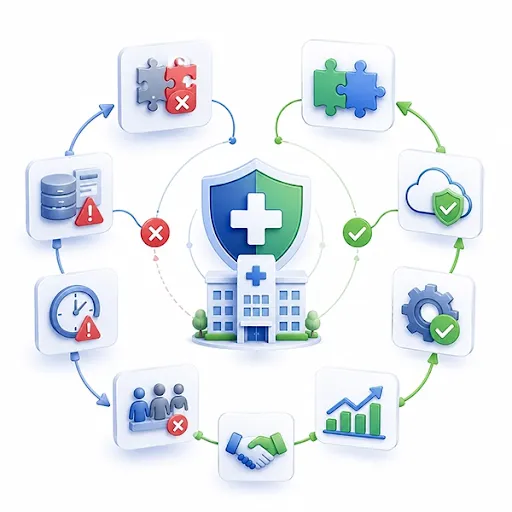
Hospital at the center of connected lab, payer, cloud and analytics systems with failed and successful links marked, as happens across a multi-site Epic rollout

Production access belongs to the customer

Epic licenses its APIs to healthcare organizations, not to app developers. Before your app sees live data, the organization signs the open.epic API Subscription Agreement and someone holding its "Purchase Apps" security point downloads your client record. Fees follow production usage, and Epic tells customers to request a licensing estimate based on your app's API list, so asking for APIs you do not need slows review and makes you look expensive.


Decisions that are hard to undo

Once you mark an app Ready for Production, neither you nor Epic can change it beyond redirect URIs and JWK Set URLs; anything else means a new app. From Epic's May 2026 version, customers configure a backend app's JWK Set URL locally, and Epic recommends a JWK Set URL over static keys so you can rotate without contacting every site. Identifiers differ by organization too, so the MRN type in one PID segment will not match the next.

None of this is a reason to avoid Epic. It is a reason to plan the approval path as carefully as the code. Our HL7 and FHIR integration engineers begin each Epic project by listing the customer approvals the design depends on.

Have an Epic customer waiting?

Send the use case and the APIs you think you need. We will check the scope first.

contact us
Overview

Epic's Developer Programs as They Stand in 2026

Epic's developer offering is spread across several sites. These are the parts it documents today, and which of them you actually need.

API icon for app registration on Epic on FHIR

Epic on FHIR (fhir.epic.com)

Free registration, API specifications and a sandbox with test patients. Registering an app creates both a non-production and a production client ID, and sandbox changes can take up to an hour to sync.

Document icon for open.epic specifications and playbooks

open.epic

Epic's public home for interoperability specifications, interface lists and data-sharing playbooks, and the source of the API Subscription Agreement your customer signs.

Support icon for Epic Vendor Services membership

Vendor Services

An optional membership adding an expanded testing sandbox, technical guidance and support from Epic staff. You need it if you want Toolbox designation.

Platform icon for a Connection Hub listing in Epic Showroom

Showroom: Connection Hub

A public listing for products live with at least one Epic customer, at $500 per product per year. Epic states a listing is not required to connect; customers can download your app at no cost with its client ID.

Standards icon for Epic Toolbox blueprint categories

Showroom: Toolbox

A designation for products in categories where Epic publishes a Blueprint of recommended connection practices, ambient voice recognition among them. Participation is at Epic's discretion.

Epic also says it does not endorse or certify developers who use Epic on FHIR. Treat any claim of special Epic status with care, including from us: we hold none.

In practice

Authorization and Data: SMART, US Core and Bulk FHIR

Epic follows the SMART standards, and federal certification under 45 CFR 170.315(g)(10) sets the floor its standardized API must meet.

Application icon for SMART on FHIR EHR launch

EHR launch

Epic calls your launch URL from inside a clinician or MyChart session, passing a launch token and the FHIR server address (iss). Your app exchanges them for an access token carrying patient and user context.

Mobile icon for SMART standalone launch

Standalone launch

The app starts outside Epic and sends the user to the authorize endpoint, often a patient signing in with MyChart. Epic recommends PKCE for native mobile apps.

Secure API icon for SMART Backend Services authorization

Backend services

No user present: the app signs a JWT with its private key and uses the client_credentials grant, following SMART Backend Services with some documented differences. Typical for scheduled pulls and system sync.

Health data icon for US Core and USCDI resources

US Core 6.1.0 and USCDI v3

Since January 1, 2026, the certified API rests on USCDI v3 and US Core 6.1.0, with SMART App Launch 2.0.0; the older USCDI v1 and US Core 3.1.1 adoptions expired that day.

Data icon for Bulk FHIR group export

Bulk FHIR

Epic implements Bulk Data Access 1.0.1 for R4 with some 1.1.0 features: Group export only, no _since, and files deleted after 14 days. The customer must authorize your client for a defined patient group.

Priority icon for scoping Epic APIs narrowly

APIs beyond the certified set

Epic publishes many more APIs than USCDI covers, but those outside the USCDI group may need extra licenses on the customer side, one more reason to scope tightly.

TWO ENVIRONMENTSfhir.epic.com sandbox vs Customer production
Aspectfhir.epic.com sandboxCustomer production
Who grants accessSelf-service after sign-upThe organization, after agreement and client download
DataEpic test patientsReal patients, under HIPAA
Client IDNon-production ID, synced within about an hourProduction ID, activated after non-production
Backend keysJWK Set URL; static keys no longer acceptedJWK Set URL or key configured locally by the customer
Identifiers and buildEpic's sample configurationOrganization-specific ID types and interface settings
Changing the appFree to iterate until Ready for ProductionFrozen apart from redirect URIs and JWK Set URLs
Who pays EpicNobody; free to developersThe organization, based on production usage
Use cases

When You Still Need HL7 v2 Beside FHIR

Epic's developer guide calls HL7 v2 by far the most popular interface standard among its customers, and nearly every Epic organization runs an interface team. FHIR answers questions; interfaces announce events.

Event notifications

To know the moment a patient is admitted or an order is signed, an outgoing interface beats polling FHIR.

Results filed into Epic

Incoming result interfaces remain the usual way labs and diagnostic systems file discrete results to the chart.

High-volume feeds

Epic notes that feeds such as outgoing ADT normally land on the customer's interface engine first, then fan out.

Transport

Most v2 traffic still runs over MLLP, which may need a VPN from outside the network. Epic also accepts HL7 v2 over HTTP, with Backend OAuth recommended for incoming messages.

We build these interfaces in Mirth Connect and pair them with FHIR reads where each fits. The same split appears in athenahealth integrations, though the mechanics differ.

Process

How an Epic FHIR Integration Gets Built and Approved

Plan your project
  1. 1

    Scope APIs to the use case

    List each workflow and the exact APIs it needs, then cut the rest. This list is what the customer's security and licensing reviewers read.

  2. 2

    Register and build in the sandbox

    Create the app on fhir.epic.com, pick the user type and FHIR version, and build against test patients. Backend apps publish a JWK Set URL from day one.

  3. 3

    Prepare the customer packet

    Complete Epic's App Questionnaire and, for patient apps, the Data Use Questionnaire, plus your security documentation and a data-flow diagram.

  4. 4

    Mark Ready for Production

    Only after testing is finished, because technical settings freeze at this point.

  5. 5

    Customer download and setup

    The organization signs the agreement and downloads the client ID; its analysts configure users, security, web services and any interfaces. Non-production is activated before production.

  6. 6

    Test on their build, then go live

    Validate against the organization's own configuration and ID types, rehearse failure handling, then enable production with monitoring running.

Who sets the pace: the customer's Epic analysts and change calendar, not your code. We plan around their queue and keep the request list short.

Services

What Xcodefix Builds on Epic Projects

SMART on FHIR apps

Clinician and patient apps with EHR or standalone launch, OAuth 2.0 and correct handling of launch context.

Backend FHIR services

System-to-system integrations that authenticate with signed JWTs and request only the resources they use.

HL7 v2 interfaces

ADT, orders and results interfaces built and monitored in Mirth Connect, alongside the FHIR work.

HL7 to FHIR bridges

Transformations that turn v2 events into FHIR resources for downstream apps, with terminology mapping.

Bulk FHIR pipelines

Group exports loaded into analytics stores for registries and periodic reporting.

Security evidence

Findings from a penetration test against your app and its APIs, ready for the customer's security questionnaire.

We can act as your engineering team or work next to your current vendor, and we sign a BAA when the engagement exposes us to PHI. For a plan that spans several EHRs, our interoperability consultants map the whole estate first.

Start here

Get Your Epic Integration Scoped Before the Customer Asks

Tell us the workflow, the Epic organizations involved and the data you need. We will come back with an API list, the approvals it depends on and a build plan.

Prefer email? info@xcodefixglobal.com

Scope My Epic Integration

Fields marked with an asterisk are required.

A few sentences is enough — we'll ask follow-up questions.

We use your details only to reply. See our privacy policy.
Frequently asked questions

Epic FHIR Integration Questions

Talk to the specialist who would scope the work — not a call-centre script.

Ask us directly
What is Epic FHIR integration?

It means connecting software to Epic through its FHIR R4 APIs, with OAuth 2.0 controlling access, so an app can read and, for some APIs, write patient data in an organization's Epic system. Most real projects also need HL7 v2 interfaces for events and results, plus the approval steps each Epic customer runs before production.

How do I get access to Epic FHIR APIs?

Register free on fhir.epic.com, create an app and build against the sandbox. For live data, an Epic customer must sign the open.epic API Subscription Agreement and download your client ID. Some patient-facing apps that stick to USCDI APIs qualify for automatic distribution; most other apps are requested by each organization individually.

Is the Epic FHIR API free?

For developers, registration, documentation and sandbox testing on fhir.epic.com cost nothing, and customers can download your app without a Showroom listing. Epic licenses the APIs to healthcare organizations and bases fees on production usage, so the organization pays Epic rather than you. Optional paid items include a Connection Hub listing at $500 per product per year.

What is the difference between open.epic and fhir.epic.com?

open.epic is Epic's public interoperability hub, with specifications, interface lists and data-sharing playbooks. fhir.epic.com, also called Epic on FHIR, is where developers register apps, manage client IDs and test in the sandbox. In practice you research on open.epic and build on fhir.epic.com, and each links to the other throughout.

What is SMART on FHIR integration with Epic?

SMART on FHIR is the standard way apps launch from, or connect to, Epic using OAuth 2.0. Epic supports EHR launch from inside a clinician or MyChart session, standalone launch from outside Epic, and backend services that authenticate with signed JWTs. Federal certification requires certified EHR APIs to support SMART App Launch 2.0.0.

Does Epic support Bulk FHIR?

Yes. Epic implements Bulk Data Access 1.0.1 for R4 resources, with some 1.1.0 features, and supports Group export only. The customer must authorize your client for a defined patient group, exports are not incremental, and result files are deleted after 14 days. Epic suggests it for one-time loads and targeted periodic extracts, not warehouse sync.

Do I need to be listed in Epic Showroom?

No. Epic states that a Connection Hub listing is not required to connect to organizations using Epic, and customers can download your app at no cost with its client ID. A listing needs at least one live customer and costs $500 per product per year; its main benefit is helping other Epic organizations find you.

Can I integrate with Epic without Vendor Services?

Yes. Vendor Services is optional. Epic on FHIR registration, documentation and the sandbox are open to any developer, and customers can download your app using its client ID. Vendor Services adds an expanded sandbox, technical help from Epic staff and the route to Toolbox designation, which matters most when your use case sits outside the self-service APIs.